


Personalized Vinyl Music Box
Personalized Vinyl Music Box
🎁 The perfect gift for true fans
🎵 Your favorite artist, always with you
🖤 Aesthetic vinyl design that stands out
💿 Turn your favorite singer into a custom vinyl set
Couldn't load pickup availability
HOT PRODUCT | LOW STOCK

I put swimming on one of the discs as a tribute to Mac and now I play it every morning while making coffee. It's such a special little thing

Setup was so easy. I just connected it to my laptop, dropped my 9 songs in and that was it. Less than 10 minutes and I had my playlist ready to go. Anyone can do this.

The customization came out amazing, the glow looks beautiful and it sounds great. I personalized it with Billie Eilish photos and it turned out incredible.
What's Included
What's Included
- 1 music box
- 9 customized photo discs — or choose from our store presets
- USB-c cable to import music (The customer loads the music directly from their computer and can change the songs whenever they want)
Insured shipping
Insured shipping
The shipping is fully secure. Due to high demand, orders may take 3 to 5 days to be processed. Delivery takes 6 to 10 business days, depending on your location. A tracking number will be provided so you can track your shipment.
Money Back Guarantee
Money Back Guarantee
We offer a 30-day money-back guarantee to ensure you are satisfied with your product. Please see our policy page for full details.


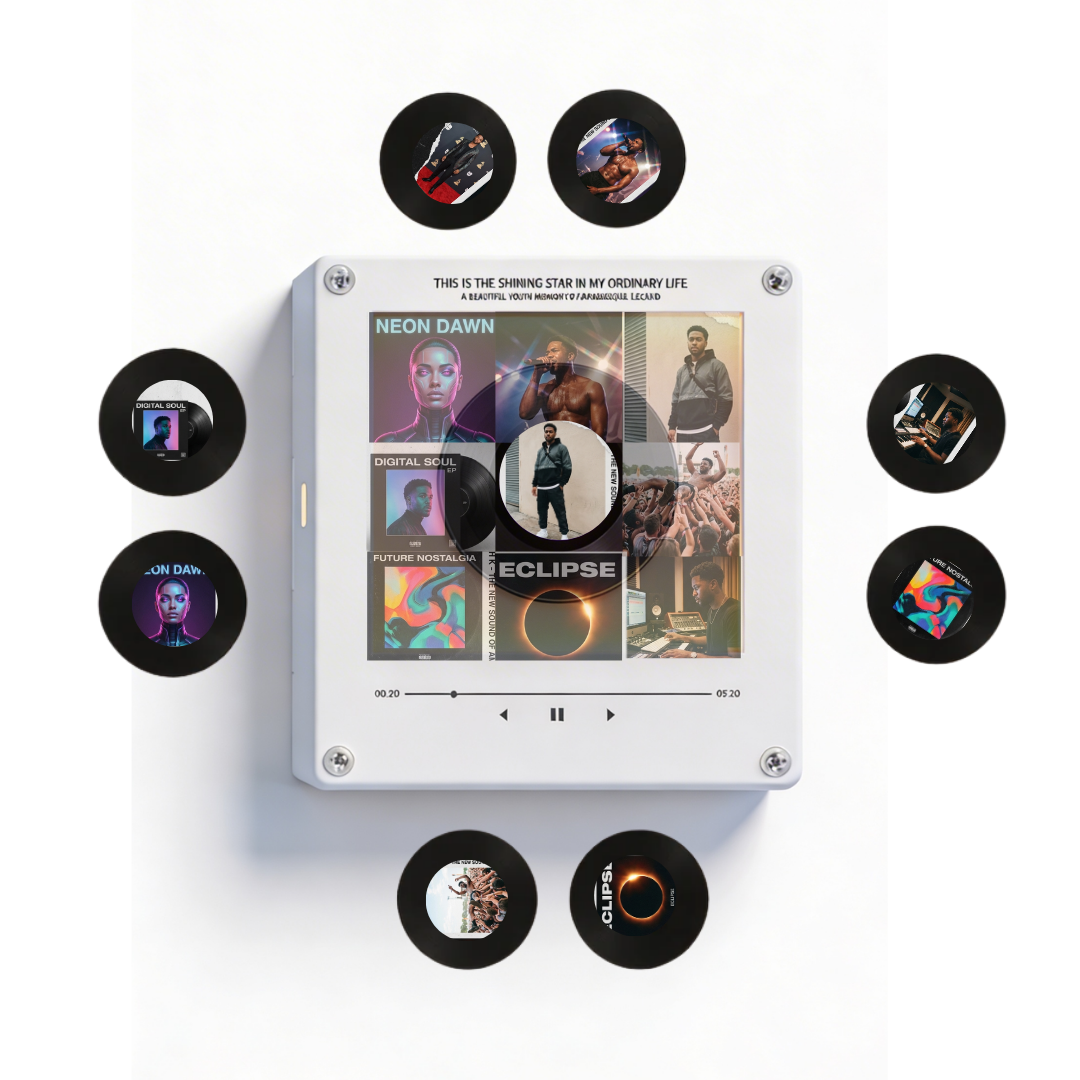

Personalized Vinyl Music Box
Join 700+ happy fans


How to Customize Your Vinyl Music Box
